
Sanitizing a Mac Studio for Life as an LLM Host

There is a very normal path into local LLM work.
You start with the machine you already have. Maybe it is a MacBook. Maybe it is a Mac mini tucked under a monitor. It is already your everyday computer, so naturally it becomes your experiment machine too. You install a local runtime, pull down a few models, connect it to the tools you use, and suddenly your personal machine has a second job.
For a while, this is great. It is the right way to begin. You learn which models are useful, how much latency you can tolerate, what breaks, what feels magical, and what is just a very expensive way to warm the room.
Then the machine starts to feel crowded.
The same box is running your browser, notes, documents, spreadsheets, creative tools, research workflow, video calls, sync agents, maybe some code or automation, and now a model server that wants a large chunk of memory to stay put. You can make it work, but you can feel the compromise. Your daily work machine wants to be flexible and interactive. The LLM host wants to be quiet and stable.
Those are different jobs.
That is where a Mac Studio becomes interesting. Not simply as a bigger Mac, and not because everyone needs one, but because it gives you the option to split the workload properly. Keep the MacBook or Mac mini as the machine you live on. Promote the Studio into a dedicated local inference host.
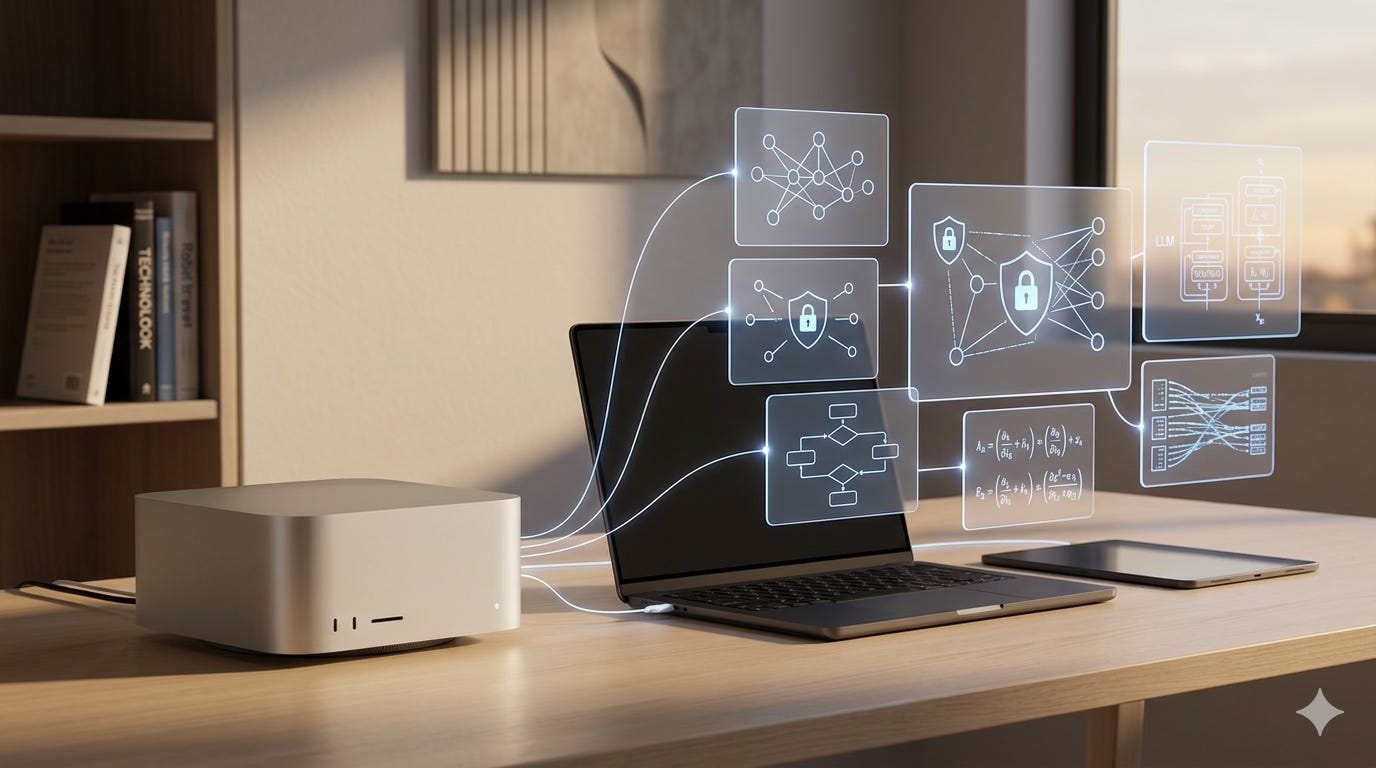
That is the architectural move. The purchase is secondary.
The Better Question
If you are considering a Mac Studio for local AI work, the first question is not “how fast is it?”
The better question is:
Am I buying a more powerful everyday machine, or am I buying a dedicated LLM host?
Both answers can be valid, but they lead to different setups.
If you buy a Studio and use it exactly like your current machine, only with more memory and more thermal headroom, you will probably enjoy it. It is a lovely computer. But you may also recreate the same problem at a higher price point: one machine doing too many jobs.
The more interesting setup is to let the Studio be boring.
Boring is underrated in infrastructure. Boring means the model server stays up. Boring means the machine is not also your browser, your video call endpoint, your playground for random tools, and your desktop full of half-finished experiments. Boring means that when inference gets slow, you have a short list of possible causes.
For LLM hosting, boring is a feature.
How To Think About the Upgrade
The upgrade question is not really about whether the Mac Studio is “worth it” in the abstract. Almost nothing is worth it in the abstract. The better way to think about it is to ask what problem you are trying to remove.
If your current MacBook or Mac mini is mostly fine, and local models are only useful for special cases, keep your money. Use local inference where it is genuinely valuable: private data, offline work, latency-sensitive experiments, model tinkering, or workflows that need to stay inside your own environment. For everyday writing, research, analysis, coding, creative work, and assistant-style tasks, cloud-hosted models may be the better default, especially if you already have subscriptions to tools like Claude, Codex, ChatGPT, or similar services. Learn the workflow first. Find out where local inference is actually better, not just more interesting.
But if local models have become part of your daily loop, the signs show up quickly.
You start avoiding restarts because the model server is in the middle of something. You hesitate before running a heavy export, analysis job, batch process, or big local task because it will compete with inference. You close browser tabs before starting a model. You stop treating your laptop like a laptop because it has quietly become a server. The machine is still powerful, but you are managing around it.
That is a useful signal. It means the issue may not be raw performance. It may be role confusion.
As I see it there are three upgrade paths:
Buy a bigger all-in-one machine and keep doing everything on it.
Move model serving to the cloud.
Split the local workload: keep your current machine for everyday work and add a dedicated inference host.
The first path is emotionally satisfying because new hardware is fun. It may also work for a while. But it does not change the operating model. Your personal machine is still your server. Your server is still your personal machine.
The second path is often the right answer for users that need elasticity, managed infrastructure, or NVIDIA-specific stacks. It is less attractive when you care about local data, fixed cost, offline-ish operation, or low-friction experimentation with private material and prompts, but man will it eat your wallet.
The third path is the interesting Mac Studio (Or really any dedicated host) path. You are not buying it to replace the machine you enjoy using. You are buying it to remove a job from that machine.
That is a different mental model. It also makes the purchase easier to evaluate. Ask:
Will this reduce friction in my daily work?
Will it make local inference available to more than one machine or person?
Will it let me keep larger models warm without babysitting memory?
Will it make failures easier to isolate?
Will it let me harden the model host in ways I would never tolerate on my everyday machine?
If the answer is yes, you are not just buying speed. You are buying separation.
Why the Studio Fits This Role
Local inference has a different shape from normal day-to-day computer use.
Everyday work is bursty. You write, research, browse, analyze, edit, meet, search, open tabs, close tabs, install things, restart things, and generally create entropy. That is fine. A good personal machine should tolerate chaos.
Model serving wants the opposite. It benefits from memory residency, predictable thermals, stable networking, and as little background competition as possible. Apple Silicon is useful here because CPU, GPU, and Neural Engine share a unified memory pool. On current Mac Studio configurations, Apple lists M3 Ultra options up to 256GB of unified memory, 10Gb Ethernet, Thunderbolt 5, and a compact chassis with a 480W maximum continuous power rating.
That does not make it an H100 cluster in a small aluminium box. It does make it a serious local host for many quantized and medium-to-large open models, especially when privacy, predictable local access, and fixed cost matter.
The catch is that macOS is still macOS.
That is not an insult. macOS is excellent at being a personal computer operating system. It assumes someone is sitting there. It wants to index, sync, notify, render, pair, share, diagnose, update, offer continuity features, and support a beautiful desktop session.
On your laptop, that is helpful.
On a dedicated LLM appliance, it is background noise.
Where MLX and oMLX Fit
If the hardware argument is about Apple Silicon, the software argument is about MLX.
MLX is Apple’s open source array framework for machine learning on Apple Silicon. The important part for this discussion is not that it exists as another framework to learn. The important part is that it is designed around the thing Apple hardware is unusually good at: a unified memory architecture where the CPU and GPU can work against the same memory pool.
That matters for local LLMs because so much of the experience is about keeping the model resident and avoiding unnecessary movement, copying, and churn. If you are buying a Mac Studio for local inference, you probably want a runtime that understands the platform rather than treating the Mac like an awkward almost-GPU server.
MLX gives you the lower-level Apple Silicon-native foundation. oMLX is one of the more practical serving layers on top of that foundation.
The reason oMLX is interesting is not just that it can run models. Plenty of things can run models. The reason it fits this architecture is that it turns the Mac into something your tools can talk to. oMLX presents OpenAI-compatible and Anthropic-compatible API surfaces, which means apps, agents, scripts, notebooks, and clients that already know how to call a hosted model can often be pointed at the local host instead.
That is the bridge between “I can run a model on this Mac” and “this Mac is part of my working environment.”
It also lines up with the dedicated-host idea. If the Studio is running oMLX, your everyday machine does not need to know much about Apple Silicon, model loading, or local runtime details. It just needs a private endpoint. Your apps, agents, notebooks, or automation can call the model API over the LAN or a private overlay network. The Studio does the model work. Your daily machine stays focused on the work in front of you.
This is the version that starts to feel like infrastructure:
MLX provides the Apple Silicon-native machine learning layer.
oMLX provides the server interface and model-management surface.
The Mac Studio provides the memory, thermals, and stable host.
Your existing machine provides the human workflow.
You can absolutely use other runtimes. Ollama, llama.cpp, LM Studio, and other MLX-backed servers may be better fits depending on the models, tools, and ergonomics you care about. The broader point is the same: choose a serving layer that gives your tools a stable API, then let the Mac Studio sit behind that API and do one job well.
Why You Would Want This Setup
The appeal of a dedicated local LLM host is not just that it can run bigger models. That is the obvious part. The more durable benefit is that it changes how the whole environment feels.
First, it gives you a stable endpoint.
Instead of every tool depending on whether your laptop happens to be awake, cool, plugged in, and not in the middle of something else, you get a model API that behaves more like a service. Your apps, agents, scripts, notebooks, and other machines can all point at the same host. That makes local AI feel less like a demo and more like part of the working environment.
Second, it protects your attention.
When one machine does everything, you end up making tiny operational decisions all day. Can I restart? Can I run this benchmark? Should I close the model server before joining a call? Why did that task get slow? Is the model slow, or is my machine just busy?
None of those questions are hard. That is why they are annoying. They are small enough to interrupt you and frequent enough to matter.
A dedicated host removes a surprising amount of that mental overhead. Your everyday machine can be used freely again. The model host can be tuned for one job.
Third, it gives you a cleaner security boundary.
Your personal machine is where the messy stuff happens: downloads, browser sessions, experiments, credentials, plugins, temporary files, and half-trusted tools. A dedicated inference host can have a much smaller surface area. Fewer services. Fewer logins. Fewer reasons to expose anything publicly. A private network path. A clear update routine.
Fourth, it makes performance conversations more honest.
When everything is on one box, performance problems are slippery. The model is slow, except maybe the browser is eating memory, except maybe a big export is running, except maybe Spotlight woke up, except maybe the machine is hot. On a split setup, you can reason like an operator: model host, everyday machine, network, runtime, model. The list gets shorter.
Finally, it keeps the door open for growth.
Maybe today it is just one app calling a local model. Tomorrow it might be a small team, a shared assistant, a document-processing workflow, a research pipeline, a creative toolchain, or a set of experiments that need to run overnight. A dedicated host gives you a place to put that work without turning your everyday computer into a machine you are afraid to disturb.
That is the real value. The Studio is not merely a faster computer. In this setup, it is a boundary.
What “Sanitising” Means
Sanitising a Mac Studio does not mean doing anything heroic or irreversible. It means taking a machine that was designed to be a rich desktop and narrowing it into a server with one clear responsibility.
The critical path is small:
Remote access, usually SSH.
Stable networking, ideally wired Ethernet plus a private overlay network.
DNS and basic system services.
The model runtime, such as MLX, oMLX, Ollama, llama.cpp, or another server.
Logging and enough diagnostics to recover when something goes wrong.
A sensible security update path.
Everything else gets reviewed.
On a dedicated host, you can often disable or remove Screen Sharing, Apple Remote Desktop, AirPlay, local media services, Spotlight indexing, consumer iCloud sync, Siri, Messages, FaceTime, Photos agents, Time Machine if backups are handled elsewhere, Bluetooth if there are no local peripherals, Wi-Fi if Ethernet is stable, and eventually the local GUI stack.
The GUI step is the one to treat with respect. On macOS, WindowServer is central to the desktop session. Disabling it changes the machine from “Mac I can sit down at” into “server I reach remotely.” That can be exactly what you want, but only after you have confirmed SSH, your private network path, and your LLM API are all working.
The practical rule is simple: keep a way back in.
Before turning off Wi-Fi, confirm Ethernet. Before disabling remote desktop tools, confirm SSH. Before stripping down the GUI, confirm the model API still answers. Make changes in batches, verify after each batch, and leave yourself a recovery path.
The best way I found to do this was not from the Studio itself.
Use another machine as the operator. Run the agent, checklist, or automation from that second machine, then connect to the Studio over Tailscale or another private network path using SSH. The Studio should have a fresh account for this purpose rather than your normal personal user. That account can be given the privileges it needs, used for setup and maintenance, and kept separate from your documents, browser sessions, and everyday identity.
This sounds like a small detail, but it changes the feel of the work. The machine doing the hardening is not the machine being stripped down. If the GUI goes away, the agent is still running somewhere else. If a desktop service is disabled, you are not sawing off the session you are sitting in. If you need to pause, inspect logs, or back out a change, your control plane is still intact.
In practice, the loop is:
Start from the everyday machine or another trusted host.
Connect to the Studio over Tailscale SSH or normal SSH on a private network.
Use a fresh maintenance user, not your personal account.
Disable services in small groups.
After each group, verify SSH, Tailscale, and the model API.
Only then move on to more aggressive GUI or background-service cleanup.
The Split I Like
The setup I would recommend for many people is straightforward:
Mac Studio: model host.
Existing MacBook, Mac mini, laptop, desktop, or CPU-tuned workstation: everyday work machine.
The Studio stays wired, headless, and boring. It holds the model weights and serves requests. You treat it like local infrastructure.
The everyday machine stays human. It runs the browser, documents, dashboards, calls, analysis tools, creative tools, code if you write code, and all the other moving parts of daily work.
This split pays off quickly.
Your inference host stops collecting random personal state. Your everyday machine can be restarted, updated, or broken without taking the model server with it. Performance issues become easier to reason about. If the API is slow, look at the host. If your local app or workflow is slow, look at the daily machine. If both are slow, look at the network or the model.
It also keeps the upgrade path clean. You can replace your everyday machine without touching the model host. You can upgrade the model host without rebuilding your personal environment. You can add another inference node later if the workload grows.
This is not a fancy architecture. It is just separation of concerns. The reason it keeps showing up in serious systems is that it works.
Use Zero Trust Access
One thing I would not do is expose a private LLM host directly to the public internet.
These machines tend to collect sensitive material: model weights, prompts, documents, data extracts, logs, API keys, private notes, and experiments that were never meant to become production systems. Treat the host as infrastructure with secrets on it.
The simple version is to keep the Studio and your everyday machine on the same private network. The better version is to use an identity-aware overlay such as Tailscale, Cloudflare Zero Trust, Teleport, or a similar service.
Tailscale is a good fit for this style of setup because it gives you a private tailnet, device identity, access controls, and Tailscale SSH if you want SSH authorization to live in policy rather than in a pile of unmanaged keys.
The pattern is:
The model API is reachable only on localhost, LAN, or a private overlay.
Users connect from approved devices.
SSH is limited by identity and policy.
The model endpoint has an API key, reverse proxy, or other service boundary.
Public ingress is avoided unless there is a real production reason.
This is one of those areas where a small amount of discipline early saves a lot of cleanup later.
What Not To Turn Off
There is a version of “hardening” that becomes performance art. That is not the goal.
Do not disable things just because they are running. Preserve SSH, your overlay network agent, DNS and network configuration services, logging, security and trust services, certificate handling, filesystem services, thermal management, power management, and the model server itself.
Keep your update story intact as well. You may choose manual, scheduled updates for a dedicated host, but do not accidentally strand the machine outside the security update path.
The best sanitised host is not the one with the fewest processes. It is the one with the fewest unnecessary processes while still being recoverable, observable, and secure.
After each batch of changes, check:
Can I still SSH in?
Is the private network still connected?
Does the LLM API answer?
Are the expected ports listening?
Did memory pressure improve?
Did anything important respawn?
If you cannot answer those questions, pause. Infrastructure rewards patience.
When the Studio Is Not the Final Form
It is worth saying this plainly: buying a Mac Studio is not always the best answer.
The Studio is compelling when you want quiet local inference, private data handling, predictable access, and a fixed cost after purchase. It is especially appealing if your workloads fit well into Apple Silicon and unified memory.
But the important idea here is not the Mac Studio itself. The important idea is separating the serving plane from the user plane.
That idea keeps working even when the hardware changes.
If your memory needs move from hundreds of gigabytes toward terabytes, the equipment may stop looking like a Mac Studio. You may end up with a larger workstation, a rackmount box, a multi-GPU server, a shared lab machine, or something built around accelerators and memory capacity that Apple does not offer in a desktop. That is fine. The same theory applies: keep the inference host dedicated, keep everyday work separate, put a controlled API in front of it, and access it through a private network boundary.
The Studio is a very good version of the small, quiet, local appliance. It is not the only version of the architecture.
At larger scales, the reasons to move beyond it are straightforward:
You need terabytes of memory or much larger active model sets.
You need high request concurrency across many users, apps, or agents.
You need multi-GPU scale-out and higher aggregate throughput.
You need production SLAs, redundancy, scheduling, and operational controls.
You need elastic capacity because demand is bursty.
At that point you have two broad options.
One is bigger local infrastructure. This can make sense when privacy, data gravity, network locality, predictable usage, or ownership economics matter. The box changes, but the design discipline stays the same. It is still a host, or a small pool of hosts, serving models behind a stable endpoint.
The other is cloud.
Cloud options may be cleaner when you want elasticity, managed operations, or access to accelerator classes you do not want to buy and maintain yourself:
Lambda Cloud: straightforward NVIDIA GPU VMs and clusters.
CoreWeave: serious production GPU infrastructure and larger-scale NVIDIA capacity.
RunPod: flexible GPU pods for experimentation and variable workloads.
Vast.ai: price-sensitive GPU marketplace capacity, with more provider-quality diligence required.
Google Cloud GPU instances: enterprise cloud controls, IAM, networking, and access to a range of accelerators depending on region and quota.
Modal: a good fit for serverless or function-shaped GPU workloads.
Replicate or Baseten: useful when you want managed inference, deployment workflows, autoscaling, and less server ownership.
The point is not to be local at all costs. It is also not to run to cloud by default. The point is to choose the operating model that fits the workload.
If you need privacy, local latency, and a machine you control, a sanitised Mac Studio can be excellent. If you outgrow it but still need local control, graduate to larger dedicated infrastructure. If you need burst capacity, managed production behavior, or hardware you do not want to own, rent the right GPU and move on with your life.
A Sensible Small Setup
For a serious solo setup or small team, I would aim for something like this:
Mac Studio: dedicated LLM host, headless, wired 10GbE if available, serving MLX/oMLX or another local runtime.
MacBook, Mac mini, laptop, desktop, or CPU-tuned box: everyday work machine for writing, research, analysis, creative work, coding, calls, dashboards, and orchestration.
Private overlay network: Tailscale, Cloudflare Zero Trust, Teleport, or equivalent.
Reverse proxy or API gateway: local-only or overlay-only, with authentication in front of model endpoints.
External backup: configs, launch daemons, scripts, notes, and recovery steps backed up somewhere other than the inference host.
Cloud escape hatch: a prepared path to Lambda, CoreWeave, RunPod, Vast.ai, Google Cloud, Modal, Replicate, or Baseten when local hardware is the wrong tool.
This gives you local control without pretending your desk is a data center.
The Point
A Mac Studio can be a beautiful desktop that happens to run models.
Or it can be an LLM host.
Those are different jobs, and the second one gets more useful when you let it be dedicated.
If you are still exploring, use the machine you have. A MacBook or Mac mini is a perfectly good place to start. But if local inference has become part of your daily workflow, and your one machine is now carrying both your everyday work and model serving, the upgrade worth considering is not just more power.
It is a cleaner split.
Let the everyday machine be lively, personal, and a little chaotic. Let the Mac Studio be quiet, stable, and boring.
That is how a desktop becomes infrastructure.
Sources and Further Reading
Apple Mac Studio technical specifications: https://www.apple.com/mac-studio/specs/
Apple Open Source MLX project: https://opensource.apple.com/projects/mlx/
MLX unified memory documentation: https://ml-explore.github.io/mlx/build/html/usage/unified_memory.html
oMLX project site:
https://omlx.ai/
Tailscale SSH documentation: https://tailscale.com/docs/features/tailscale-ssh
Tailscale access control documentation: https://tailscale.com/docs/features/access-control
Lambda Cloud public cloud documentation: https://docs.lambda.ai/public-cloud/
CoreWeave GPU instances documentation: https://docs.coreweave.com/docs/platform/instances/gpu-instances
RunPod cloud GPU product page: https://www.runpod.io/product/cloud-gpus
Vast.ai documentation: https://docs.vast.ai/guides/get-started
Google Cloud GPU machine types: https://docs.cloud.google.com/compute/docs/gpus
Modal GPU documentation: https://modal.com/docs/reference/modal.gpu
Replicate deployments documentation: https://replicate.com/docs/topics/deployments
Baseten overview: https://docs.baseten.co/overview